
Woodblock for iPhone
The click goes quiet when you keep time.
Start the Silence Ladder and play. Hold the beat and the click drops out for one bar, then 2, 4, 8 and 16. Drift and it comes straight back. Woodblock judges you only in the silent bars, so the silence is the test.
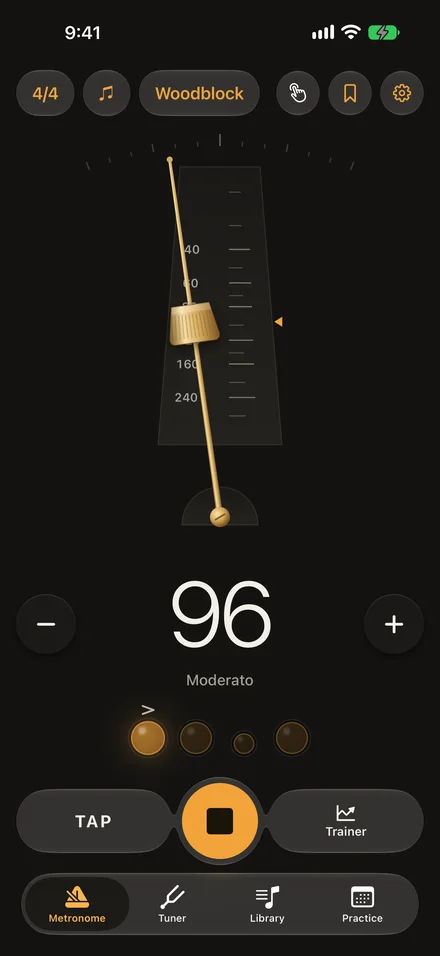
Longer silences as you hold time.
After two bars with the click, it drops out for one bar. Keep time through it and the next silence is twice as long, up to 16 bars. Slip, and the click comes back in that bar and the ladder steps down a rung.
When you stop, you see your longest run in time with no click, how many silent bars held, and the beat you pull off the grid, like “You rush beat 4 by 13 ms”.
Choose how strict it is.
A silent bar holds when your notes stay within 35 ms of the grid on Relaxed, or 20 ms on Steady. Both are free. Studio, at 10 ms, comes with Pro.
The first time, Woodblock plays eight clicks to measure your iPhone’s own delay. It hears drums, guitar, bass, piano and other plucked or struck instruments best. Soft legato winds and bowed strings are harder for it to hear.
Set it like a real metronome.
Slide the brass weight up the pendulum to slow down and down to speed up. Or tap the tempo, or step it with − and +. Anywhere from 20 to 300 BPM.
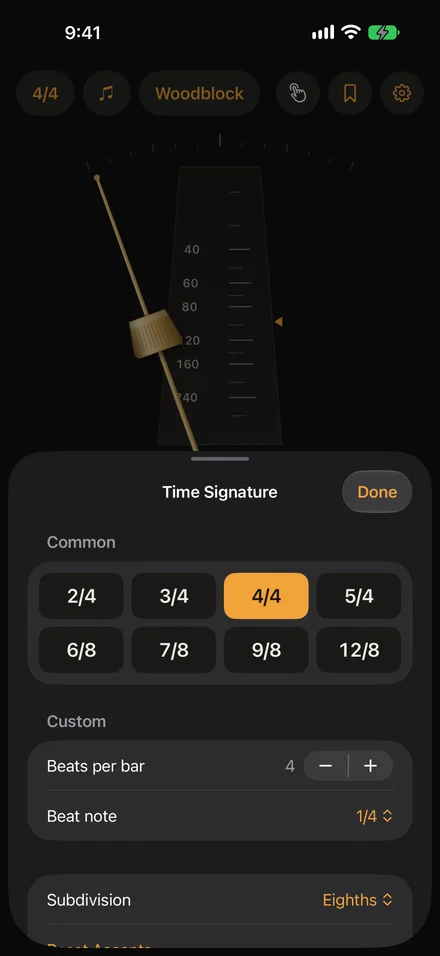
Tap a beat to accent it, soften it or mute it. Any meter from 1 to 16 beats, including 6/8 and 12/8, in quarters, eighths, triplets or sixteenths.
See and feel the beat.
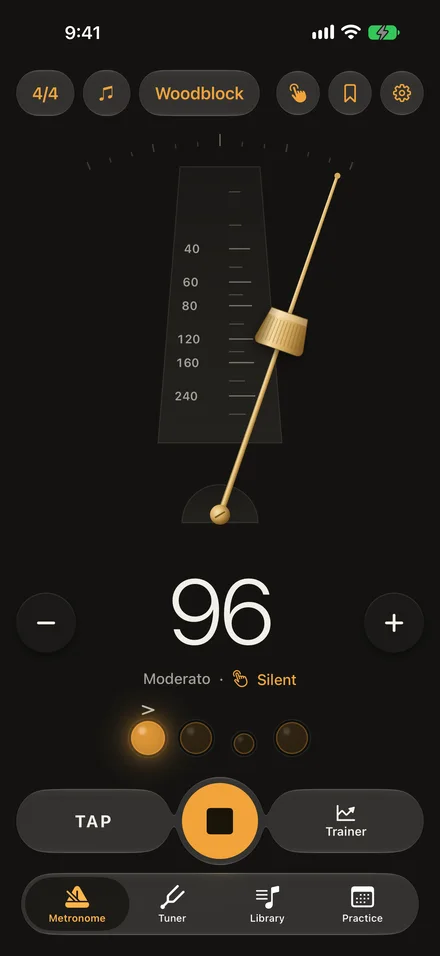
Every click is also a tap you feel. Turn on Feel for a silent beat with haptics only, for practising quietly or while you record.
For deaf and hard-of-hearing musicians, or a loud rehearsal room, the whole screen can flash on every beat with the beat number, and strong haptics knock twice on the downbeat. Both run on the same clock as the click.
Keeps time with the screen locked.
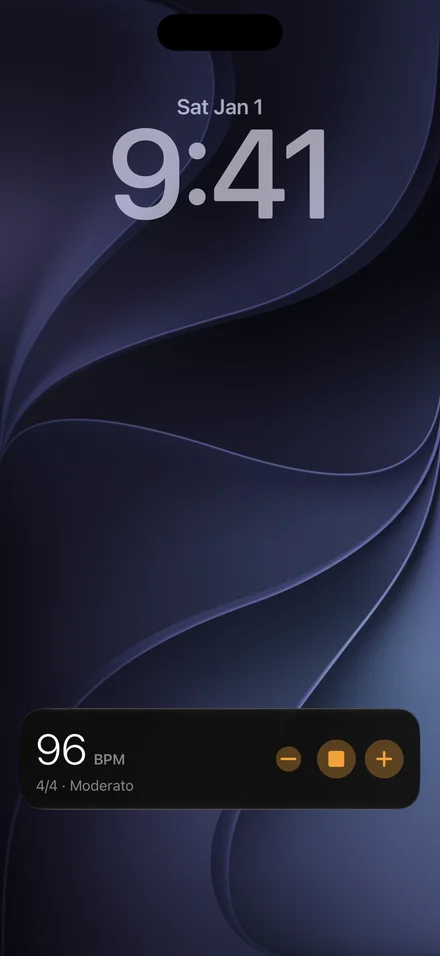
The click keeps playing in the background, even alongside a track from another app. The Lock Screen and Dynamic Island show the tempo, with Stop and ± buttons.
Pro
A tuner, too.
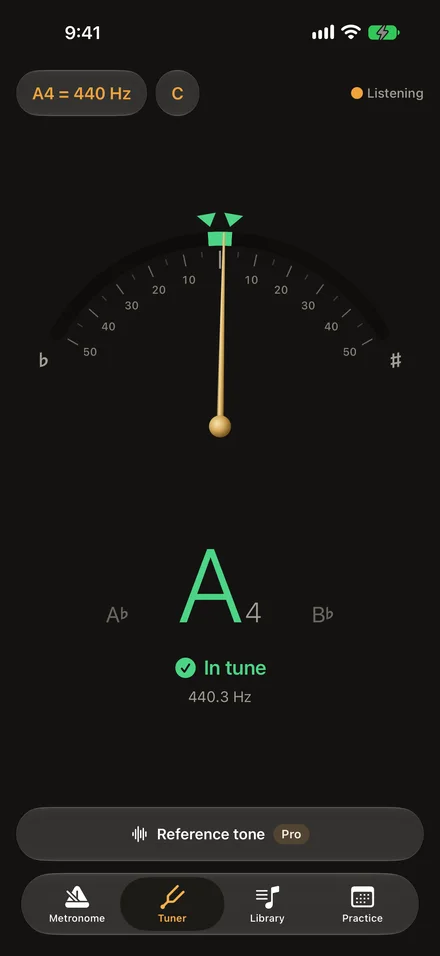
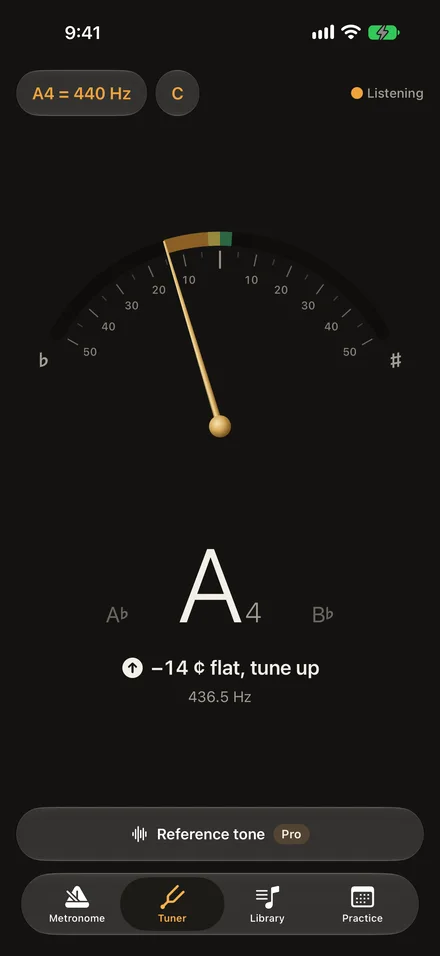
A chromatic tuner for any instrument. Set A4 anywhere from 415 to 466 Hz, and read notes in concert pitch or for B♭, E♭ and F instruments. It listens only while it’s on screen.
Works outside the app too.
Widgets
Start and stop from the Home Screen, Lock Screen or StandBy, or play a saved preset with one tap. The large widget holds eight.
Spotlight
Search for a preset or setlist by name and open it straight from the results.
Controls
Start the metronome or open the tuner from Control Center or the Action button.
Siri and Shortcuts
Say “Start the metronome in Woodblock”, “Play Bossa Nova in Woodblock” or “What’s the tempo in Woodblock?”
Setlists
Put a gig’s songs in order and step through them with one tap. Pro.
Trainer
Ramp the tempo up by a few BPM every few bars, changing on the bar line. Pro.
What you play stays on your iPhone.
The tuner and the Silence Ladder listen only while they’re running. The sound is analysed on your iPhone and never recorded. Woodblock doesn’t ask you to sign up and doesn’t track what you do. The app never connects to the internet for anything of its own, which is why its App Store privacy label reads Data Not Collected.
Free to use. Pro if you want more.
Free
$0
- The whole metronome: tempo, tap, meters, subdivisions, accents
- Haptic beat, silent Feel mode and the beat flash
- Background playback and the Lock Screen
- Widgets, Controls and Siri
- The chromatic tuner
- The Silence Ladder at Relaxed and Steady
- Three saved presets and today’s practice time
Woodblock Pro
- Lifetime $7.99 once Pay once, keep it
- Annual $3.99 / year 7 days free, then renews yearly
Everything in Free, plus:
- Studio, the strictest Silence Ladder level
- Trainer: tempo ramps on the bar line
- Unlimited presets, and setlists
- Your full practice history, chart and CSV export
- Clave, rim, cowbell and hi-hat sounds
- A reference tone for tuning
Nothing that is free today will move behind Pro later. US prices. The App Store shows the price in your currency before you pay. Subscription terms.
Woodblock
A metronome that goes quiet when you keep time