Simmer for iPhone
A timer for every burner.
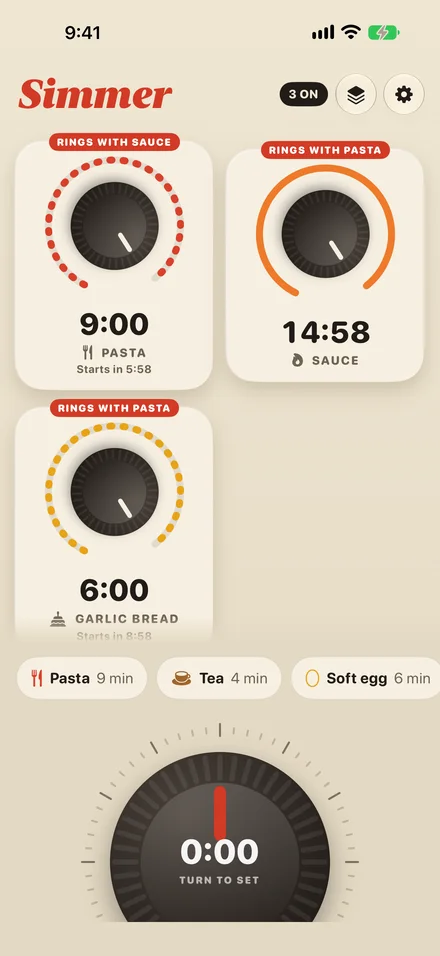
Run the pasta, the sauce and the garlic bread at once. Every timer rings like an alarm, even in Silent mode or with your iPhone locked.
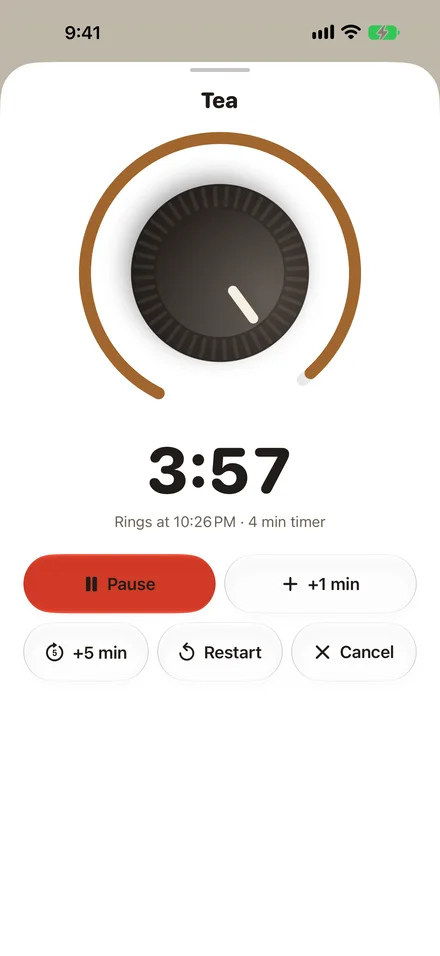
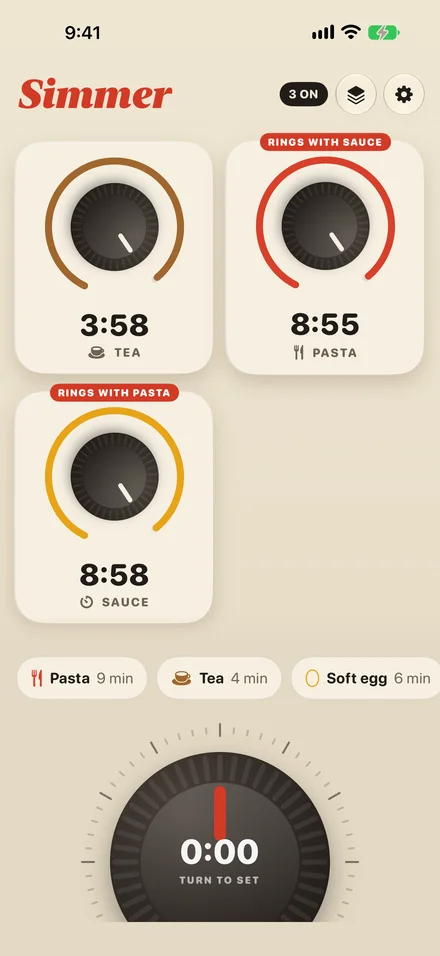
Turn the knob.
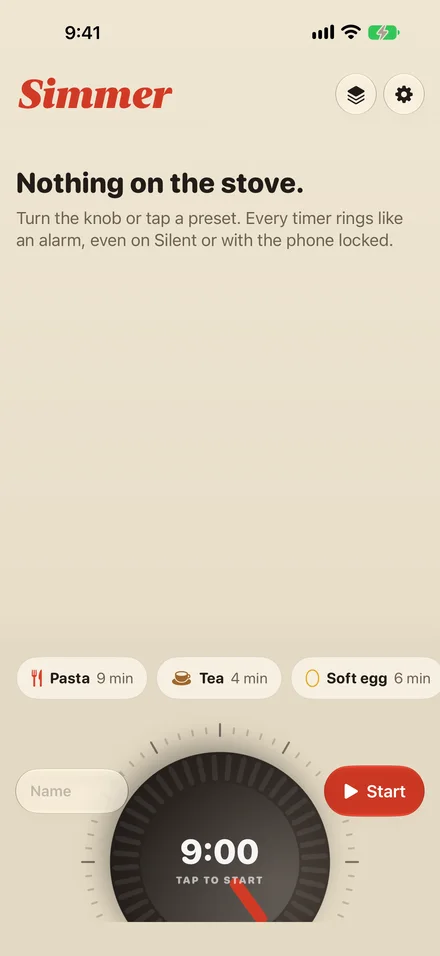
Spin the big knob to set a time. It clicks in 15-second steps for short waits and takes bigger steps for slow roasts. Tap to start, and give it a name if you like.
Presets cover the kitchen and the rest of the day: pasta, soft eggs, tea, laundry, a nap, the parking meter.
It rings like an alarm.
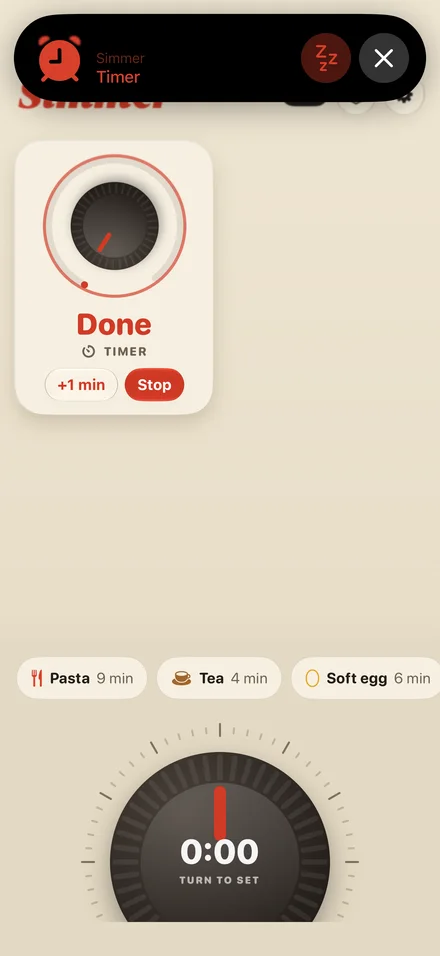
Every Simmer timer is an iPhone alarm. Silent mode, Focus and a locked screen don’t stop it.
When two timers would ring within a minute of each other, Simmer rings once for both, so one alarm never hides another.
Keep an eye on it from the Lock Screen.
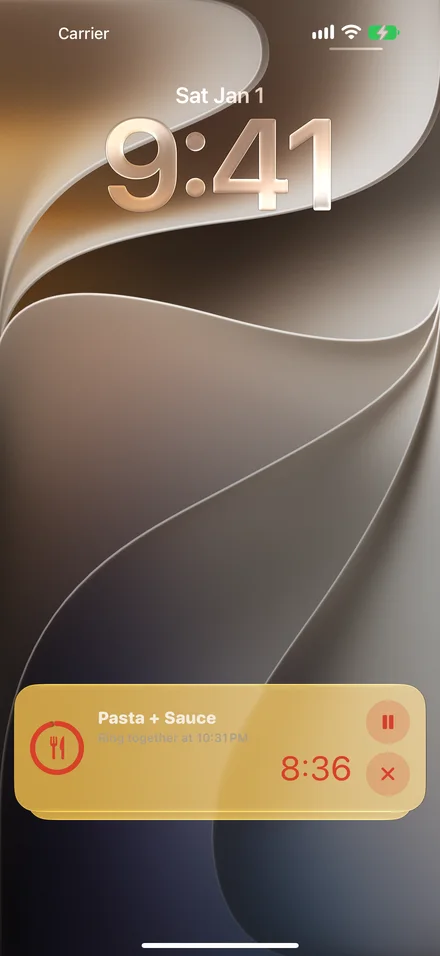
Running timers count down on the Lock Screen and in the Dynamic Island. When one rings, you can add a minute or stop it without unlocking.
Pro
The whole dinner, ready at once.
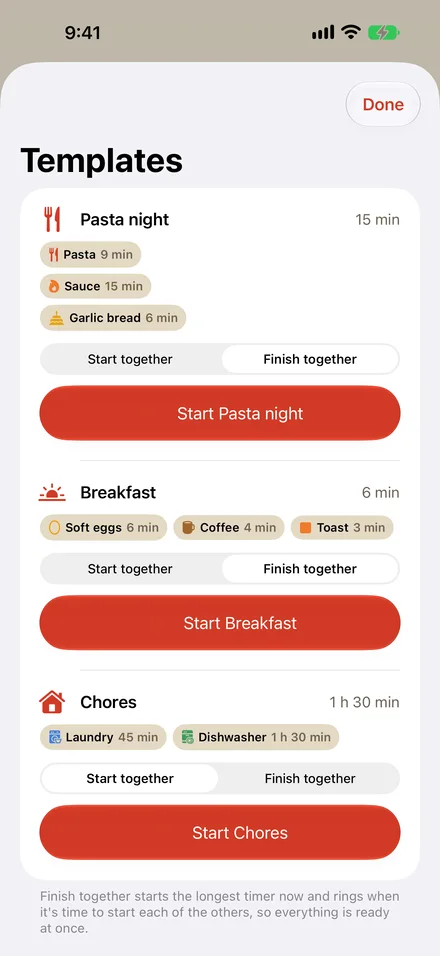
Save a meal as a template and start all its timers with one tap. Choose Finish together and Simmer starts the longest timer first, then rings when it’s time to start each of the others, so everything is ready at the same moment.
Works outside the app too.
Widgets
See your running timers on the Home Screen or Lock Screen, or start a preset with one tap from Quick Start.
Controls
Start a preset or a new timer from Control Center or the Action button.
Siri and Shortcuts
Say “Start pasta in Simmer”, “How long is left in Simmer?” or “Stop the Simmer timer.”
Alert sounds
A kitchen bell or your iPhone’s alarm sound. Pro adds Chime, Woodblock and Pulse.
Enamel colours
Cream is free. Pro adds Mint, Butter, Delft, Blush and Cast Iron.
Your presets
Save the times you use most, like your rice or a long braise, and start one with a tap or by asking Siri. Pro.
Your timers stay on your iPhone.
Simmer doesn’t ask you to sign up, doesn’t show ads and doesn’t track what you do. It never connects to the internet for anything of its own, which is why its App Store privacy label reads Data Not Collected.
Free to use. Pro if you want more.
Free
$0
- Three timers at once
- Every timer rings through Silent mode and Focus
- Built-in presets and the quick dial
- Live Activities, widgets, Controls and Siri
- Kitchen bell and system alert sounds
- Cream enamel
Simmer Pro
- Annual $12.99 / year 7 days free, then renews yearly
- Lifetime $24.99 once Pay once, keep it
Everything in Free, plus:
- As many timers as you like
- Templates that start several timers together
- Finish together
- Your own presets
- Chime, Woodblock and Pulse alert sounds
- Five more enamel colours
Nothing that is free today will move behind Pro later. US prices. The App Store shows the price in your currency before you pay. Subscription terms.
Simmer
Kitchen timers that ring like alarms